

- Mark as New
- Bookmark
- Subscribe
- Mute
- Subscribe to RSS Feed
- Highlight
- Report Inappropriate Content
on 23-07-2014 09:26 PM
@bigbrickshop wrote:Try going in to the Order Details and under the Available Actions can you select Send Invoice?


- Mark as New
- Bookmark
- Subscribe
- Mute
- Subscribe to RSS Feed
- Highlight
- Report Inappropriate Content
on 23-07-2014 09:48 PM
There doesn't appear to be the "available actions" in the sales record
- Mark as New
- Bookmark
- Subscribe
- Mute
- Subscribe to RSS Feed
- Highlight
- Report Inappropriate Content
on 23-07-2014 09:51 PM
I am using Selling Manager Pro
- Mark as New
- Bookmark
- Subscribe
- Mute
- Subscribe to RSS Feed
- Highlight
- Report Inappropriate Content
on 23-07-2014 09:54 PM
You should have a drop down menu like this
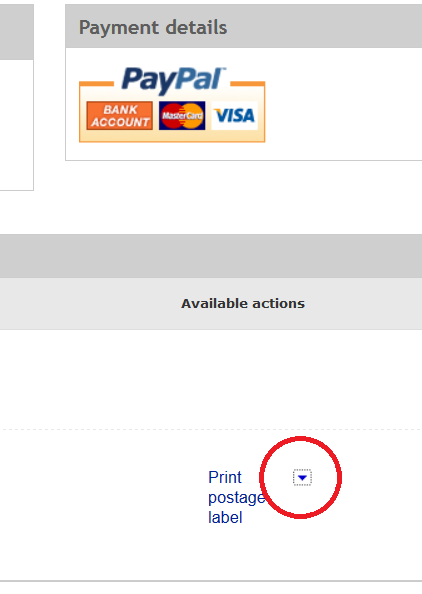

- Mark as New
- Bookmark
- Subscribe
- Mute
- Subscribe to RSS Feed
- Highlight
- Report Inappropriate Content
on 23-07-2014 10:12 PM
- Mark as New
- Bookmark
- Subscribe
- Mute
- Subscribe to RSS Feed
- Highlight
- Report Inappropriate Content
on 23-07-2014 10:41 PM
Thanks chooks and cats.
It was difficult to get to the sold items without the selling manager pro opening. I had the custom display setting set to load selling manager pro summary by default. I fixed this by setting the custom view to just the sold items.....:) that was the only way I could seem to get to the sold list without selling manager pro.
