

- Mark as New
- Bookmark
- Subscribe
- Mute
- Subscribe to RSS Feed
- Highlight
- Report Inappropriate Content
on 04-03-2013 12:30 PM
you're a very clever bunny Soul. I think that scraffito piece would be a great design for a doona cover set.


- Mark as New
- Bookmark
- Subscribe
- Mute
- Subscribe to RSS Feed
- Highlight
- Report Inappropriate Content
on 04-03-2013 12:53 PM
 "/>
"/>
- Mark as New
- Bookmark
- Subscribe
- Mute
- Subscribe to RSS Feed
- Highlight
- Report Inappropriate Content
on 04-03-2013 12:54 PM
got it!!! finally...how do I resize it please? make it bigger?
qYv,BNe0NK(+Vg~~_7.JPG "soul_art")

- Mark as New
- Bookmark
- Subscribe
- Mute
- Subscribe to RSS Feed
- Highlight
- Report Inappropriate Content
on 04-03-2013 01:00 PM
I don't know gil, I post them through the computer and they just turn out that size ?
thanks skwerl, it would take ages to make into a cover but yeah, it would look good. That one was a "I'm staying up all night until it's done" piece !
- Mark as New
- Bookmark
- Subscribe
- Mute
- Subscribe to RSS Feed
- Highlight
- Report Inappropriate Content
on 04-03-2013 01:01 PM
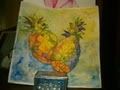
Hope someone can help gil, I can see it's pineapples but can't make out much else.


- Mark as New
- Bookmark
- Subscribe
- Mute
- Subscribe to RSS Feed
- Highlight
- Report Inappropriate Content
on 04-03-2013 01:02 PM
i think the biggest achievement from this thread is kengillard mastering photobucket :^O
- Mark as New
- Bookmark
- Subscribe
- Mute
- Subscribe to RSS Feed
- Highlight
- Report Inappropriate Content
on 04-03-2013 01:11 PM
got it!!! finally...how do I resize it please? make it bigger?
all i could find about resizing in the new photobucket is this
http://support.photobucket.com/entries/21408314-Welcome-to-Our-Improved-Powerful-and-Intuitive-Photobucket-Image-Editor-

- Mark as New
- Bookmark
- Subscribe
- Mute
- Subscribe to RSS Feed
- Highlight
- Report Inappropriate Content
on 04-03-2013 01:15 PM
To resize it, click on the picture, find the Edit button, then in the Edit screen, use the resize button. Just put in one measurement and the other one will adjust automatically. Use about 300 x 400 (approximately). It will show you how big the photo is currently sized.
- Mark as New
- Bookmark
- Subscribe
- Mute
- Subscribe to RSS Feed
- Highlight
- Report Inappropriate Content
on 04-03-2013 01:16 PM
 "/>
"/>
one of my digital manipulations. 'evil face'
- Mark as New
- Bookmark
- Subscribe
- Mute
- Subscribe to RSS Feed
- Highlight
- Report Inappropriate Content
on 04-03-2013 01:17 PM
I've got that far Katy, but the measurements wont budge....perhaps I entered it in too small and can't change it now?
