- Mark as New
- Bookmark
- Subscribe
- Mute
- Subscribe to RSS Feed
- Highlight
- Report Inappropriate Content
on 13-04-2023 09:28 PM
Can anyone help me with an issue I'm having when trying to print labels through eBay.
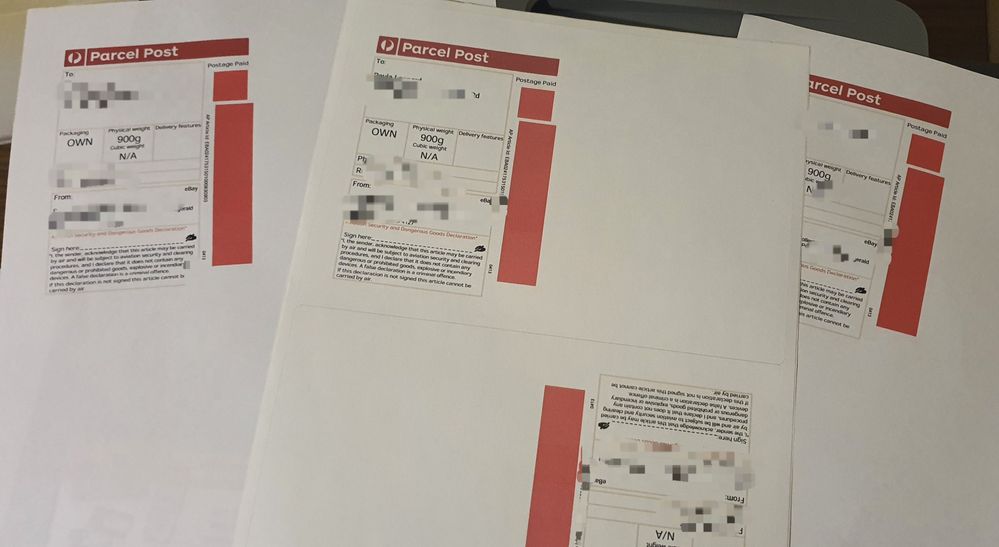
I purchase a label but when I print it, the barcodes are missing and it's red where the barcodes should be.
It's so frustrating! It can sometimes take hours and many printing errors before it finally works.
Solved! Go to Solution.


- Mark as New
- Bookmark
- Subscribe
- Mute
- Subscribe to RSS Feed
- Highlight
- Report Inappropriate Content
on 13-04-2023 09:40 PM
Don't use eBay for your labels. Generally MyPost Business will save you money, or cost no more.
eBay do not pass on volume discounts that MyPost will. If you're sending $50 per month, AP is the way to go.
- Mark as New
- Bookmark
- Subscribe
- Mute
- Subscribe to RSS Feed
- Highlight
- Report Inappropriate Content
on 13-04-2023 09:49 PM
Thanks for the tip! Will go through MyPost on the next order. Fingers crossed it works.

- Mark as New
- Bookmark
- Subscribe
- Mute
- Subscribe to RSS Feed
- Highlight
- Report Inappropriate Content
on 14-04-2023 06:32 AM
Have you tried a printer test page to see if any errors are in that to eliminate the printer being an issue
- Mark as New
- Bookmark
- Subscribe
- Mute
- Subscribe to RSS Feed
- Highlight
- Report Inappropriate Content
on 14-04-2023 09:45 AM
Yes - have done all the troubleshooting to make sure it's not a printer issue, have called eBay and AP. This is my last resource to attempt to fix the issue.
- Mark as New
- Bookmark
- Subscribe
- Mute
- Subscribe to RSS Feed
- Highlight
- Report Inappropriate Content
on 14-04-2023 05:57 PM
Can you save as a PDF then print from the saved PDF
- Mark as New
- Bookmark
- Subscribe
- Mute
- Subscribe to RSS Feed
- Highlight
- Report Inappropriate Content
on 14-04-2023 06:31 PM
Yes, I tried that and no deal
- Mark as New
- Bookmark
- Subscribe
- Mute
- Subscribe to RSS Feed
- Highlight
- Report Inappropriate Content
on 14-04-2023 07:40 PM
If it views correctly on your screen would have to be an issue with the printer software converting the format. Have you tried reloading or updating printer drivers. If you have a spare printer would be handy or save the file and try a different system.
- Mark as New
- Bookmark
- Subscribe
- Mute
- Subscribe to RSS Feed
- Highlight
- Report Inappropriate Content
on 14-04-2023 07:47 PM
Yes, it does view properly on my phone and laptop. The printer is fairly new but I did check and the printer driver is up to date. I attempted to print from my phone and laptop. But I can see where you're going with this and you're correct, it is starting to sound like a printer issue. I will try to print at work and see what happens. Thank you.
- Mark as New
- Bookmark
- Subscribe
- Mute
- Subscribe to RSS Feed
- Highlight
- Report Inappropriate Content
on 14-04-2023 08:48 PM
Ok, so I did some further research and I believe it is a printer settings issue (as mentioned by eol-products). It was suggested to disable the advanced setting "Print as an image", this changes the format of the file so that the printer recognises the barcode.
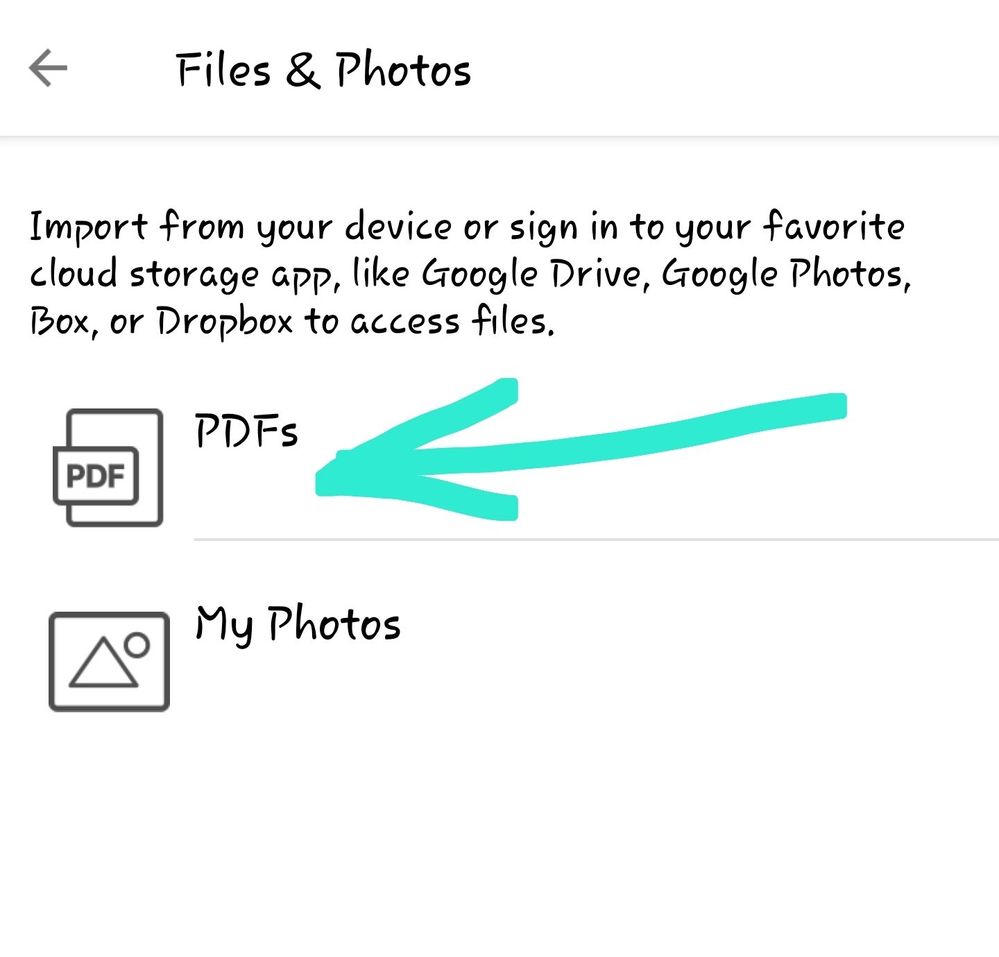
I printed the PDF via my HP Smart app on my phone (as a PDF document) and it worked!!
Thanks eol-products for your help 😁