Options
- Mark as New
- Bookmark
- Subscribe
- Mute
- Subscribe to RSS Feed
- Highlight
- Report Inappropriate Content
on 19-09-2014 11:49 PM
@goodchinagalore wrote:
How does one get a detailed seller report such as the one attached to your 3armyrats post. I have searched my seller dashboard, but can only find % summaries. I would like to see which item numbers resulted in lower buyer ratings.
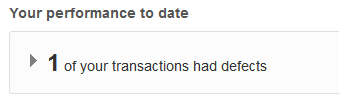
In you seller dashboard, click on the part which says the following:
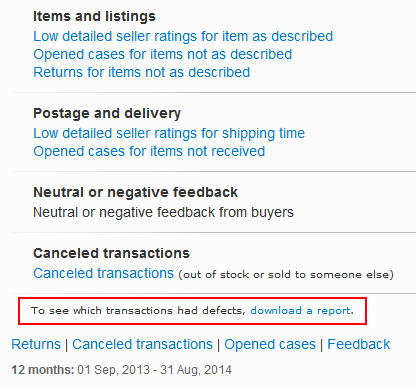
When this next page opens, click on the highlighted part at the bottom which says "download a report".
If you've had zero (0) transaction defects for the month, I'm not sure if it appears (anybody else know?).