- Mark as New
- Bookmark
- Subscribe
- Mute
- Subscribe to RSS Feed
- Highlight
- Report Inappropriate Content
on 10-01-2015 11:17 PM
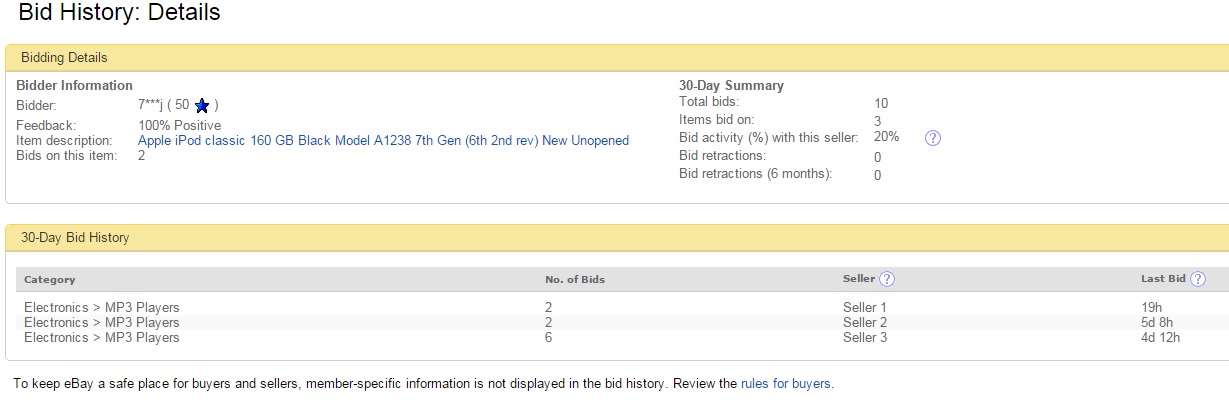
Anyone apart from the seller can click on your bid history, then click on the bidder. It brings up their stats of how many bids they've had in the last month, how many sellers they've bid on and what the percentage of bids are with you. It also tells you how many bid retractions. We can't see who the bidder is by their username and can only see the category they have placed bids on (apart from yours), not the actual items.
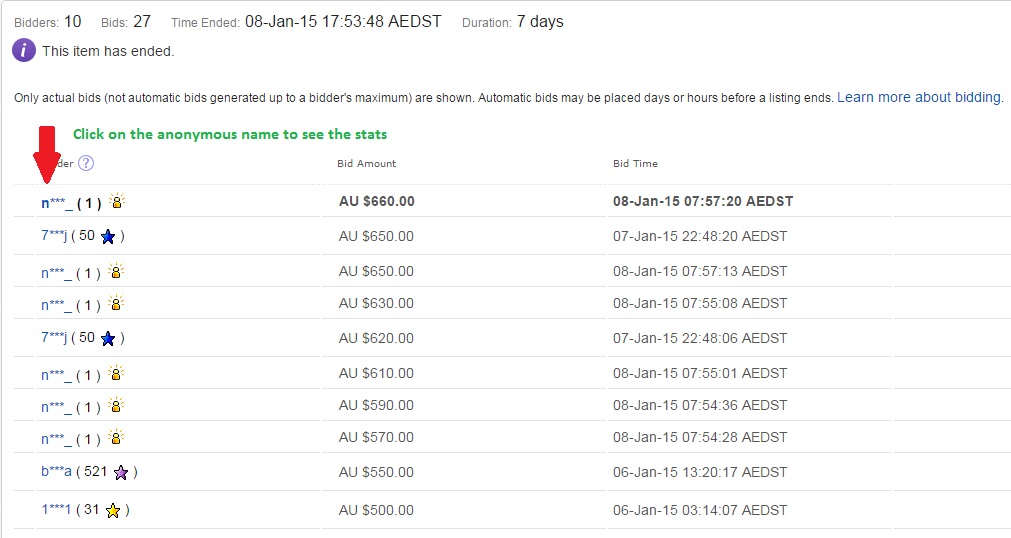
If you want to see what your bidders are up to, log out and then go to one of your listings that has bids. The first photo is what everyone but you can see if we click on the bidding history of your item. The second photo is what comes up when you click on the bidder. It can be a useful way to check for shill bidders on suspect sellers. You will get those 2 screens if you are logged out when you check.